WhatsApp Business Username: How to Set It Up in 2026
Kai Viertel, Co-Founder & CMO
In 2026 WhatsApp brings the username to businesses too. This guide shows how to set up your business username in WhatsApp Manager, why your number stays visible, what the new Meta identifier BSUID means, and why nothing changes in your existing inbox.
TL;DR
The WhatsApp Business username is coming to businesses in 2026. You don't create it at your messaging provider, you create it at Meta in WhatsApp Manager, under Phone numbers, gear icon, Profile, Username. Unlike a personal account, the username does not hide your number: it stays visible on the profile and remains the basis for your Cloud API access. For businesses the username is therefore pure brand visibility, not a replacement for your number. New is the BSUID (Business-Scoped User ID), a Meta-internal identifier that lets a business address a user even when their number is hidden. Nothing changes in your existing inbox, SendSeven included: no migration, no reconnection.
What a WhatsApp Business username is
The WhatsApp Business username is a freely chosen name for your business profile that makes it easier for customers to remember you and reach out. It complements your phone number rather than replacing it. In short: a piece of brand visibility, not a privacy tool.
The difference from a personal account is crucial, and it is often overlooked. On a personal account the WhatsApp username replaces the visible phone number. On a business account the number stays visible. Why that is and what it means for you, we'll cover step by step in a moment.
If you first want to understand how the username works on a personal WhatsApp account, read the article Set up and reserve a WhatsApp username. That one covers reservation, the rules, and the optional username key. This article is about the business case.
Setting up a WhatsApp Business username: quick overview
The most important point first: you set up the business username at Meta, not at your messaging provider. The path runs through WhatsApp Manager, which you know from Meta Business Manager.
The process at a glance:
- Open WhatsApp Manager in your Meta business account.
- Go to the Phone numbers section and select the number you want to set the username for.
- Open the settings via the gear icon, then go to Profile.
- Choose Username and then create.
- Enter your preferred name, check availability, and save.
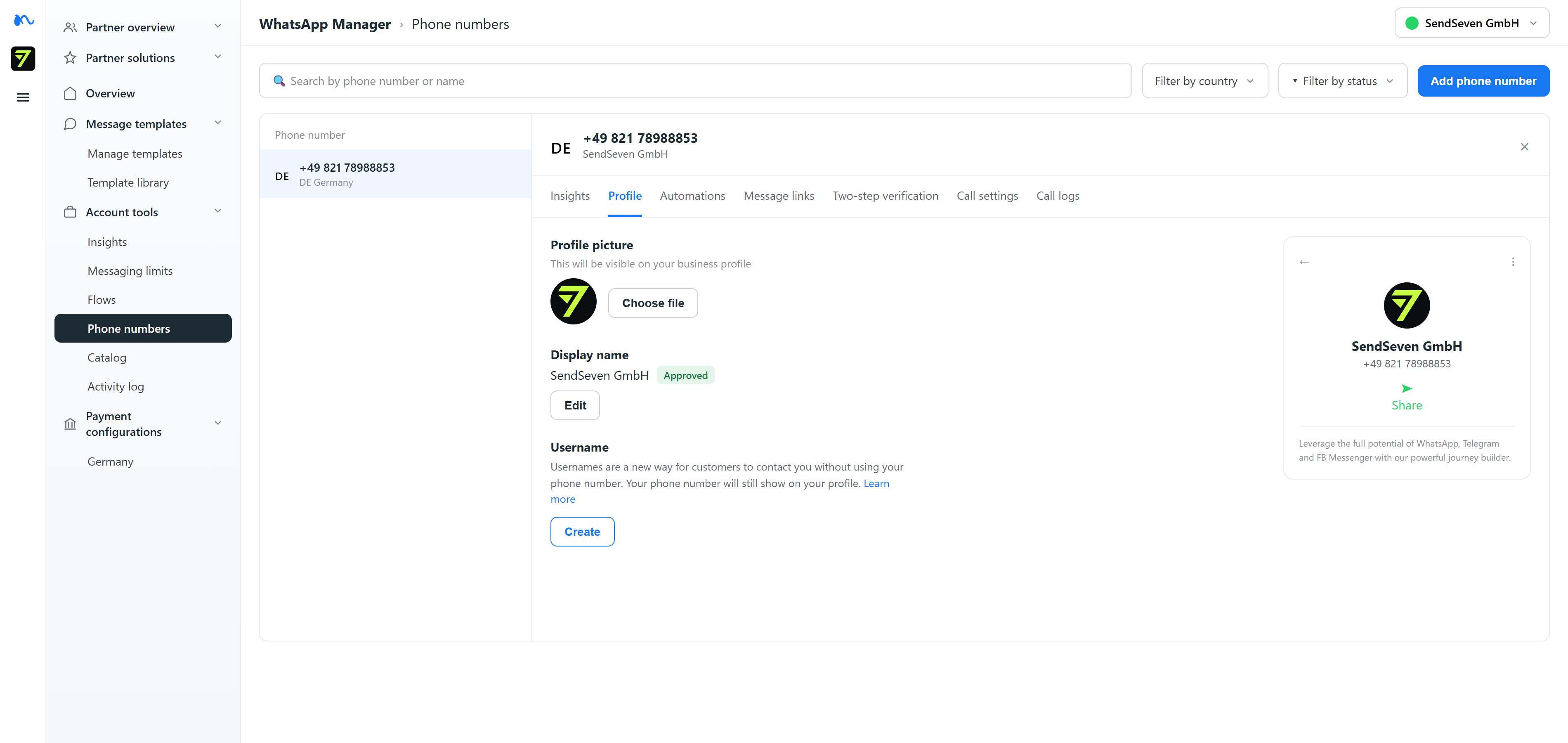
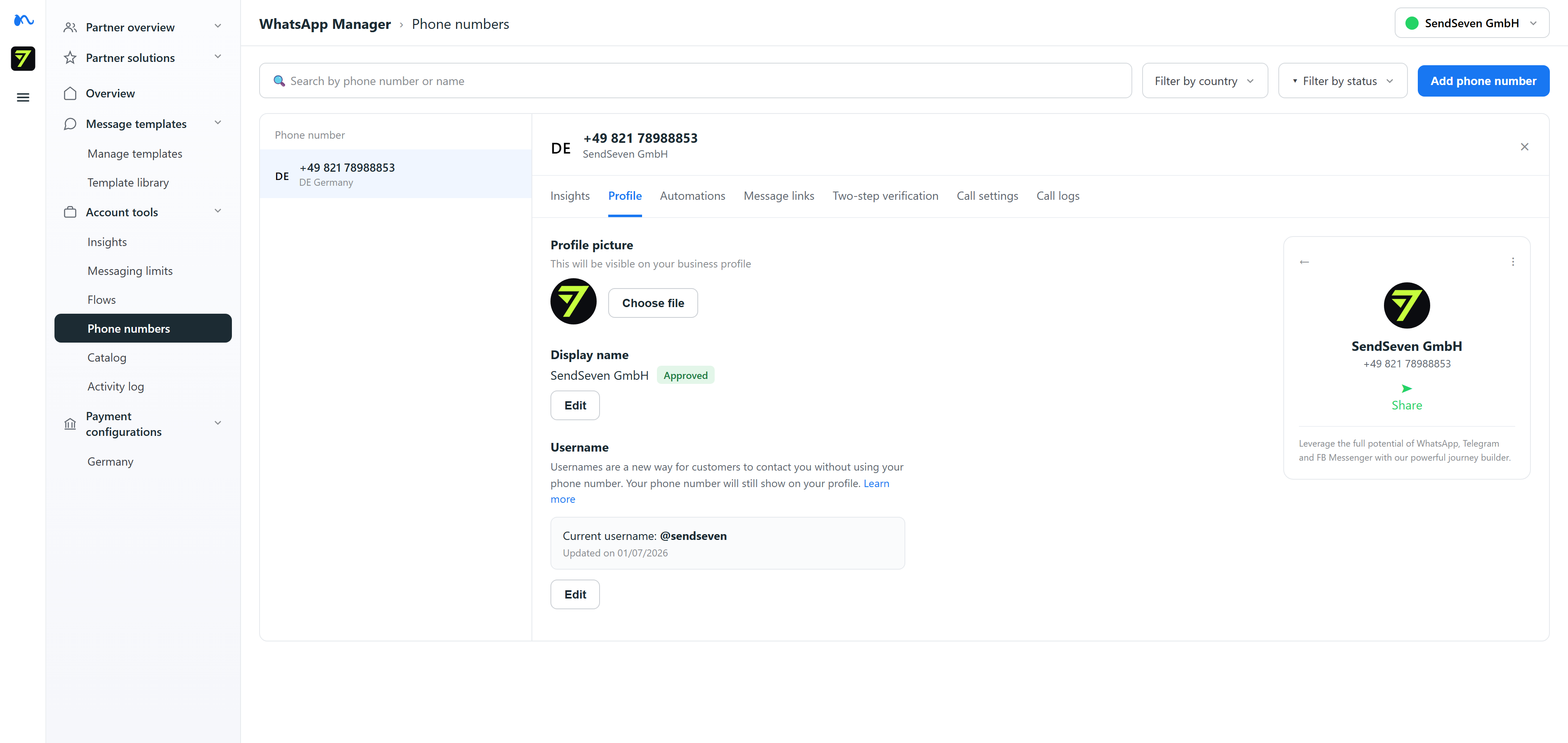
You'll find a detailed click-by-click walkthrough, including the prerequisites, in our guide Set up a WhatsApp Business username. The same format rules apply to the name choice as for a personal account: 3 to 35 characters, only lowercase letters, digits, dots, and underscores, at least one letter, and no name that looks like a web address.
Why your number stays visible
On a personal account the username is a privacy feature: it decouples your identity from your number so that new first contacts no longer see the phone number. In a business context it is designed differently.
A business should be clearly reachable and identifiable. That's why your phone number stays visible on the business profile even when you set a username. And the number is more than a display item: it remains the technical basis of your access to the WhatsApp Business API and is needed for Cloud API onboarding. No verified number, no API traffic.
So for you the username is an additional, easy-to-remember point of contact, not a way to hide the number. Anyone who really wants to take the number out of the profile needs a personal account, and that is no option for professional customer communication anyway.
| Feature | Personal account | WhatsApp Business account |
|---|---|---|
| Phone number in the profile | hidden (with an active username) | stays visible |
| Purpose of the username | privacy, protect the number | brand visibility, easy point of contact |
| Set up in | the WhatsApp app (Settings, Account) | WhatsApp Manager at Meta |
| Number required for Cloud API | not relevant | yes, still required |
What BSUID means
A new term shows up around the username: BSUID, short for Business-Scoped User ID. It's worth placing it in context, because it describes a fundamental change in how businesses and users address each other on WhatsApp.
Until now the phone number was the one key to every chat. But as soon as users hide their number behind a personal username, another way is needed to identify them clearly. That is exactly why Meta is introducing the BSUID: an internal identifier that labels a user in the context of a specific business, without revealing their phone number.
What matters is the ownership: the BSUID is a Meta concept. Meta stores it in the contact book of the respective business, and providers or platforms adapt their systems to it. A user can have different BSUIDs across different businesses, hence the addition business-scoped. The point behind it: a business should still be able to address a user even when their number is hidden or unknown, without the number itself being exposed.
Because this area is still in motion, here is a clear boundary so no false expectation forms. SendSeven does not process BSUIDs automatically today, and this article explicitly does not promise that you can message customers via SendSeven without their number. BSUID is described here as a Meta-side concept that the industry is currently adopting, no more than that.
What changes for your API
The good news for everyone already using WhatsApp for business: for now, the username changes nothing about your existing connection. The business username is set at Meta in WhatsApp Manager, not at your messaging provider. Your number stays visible, continues to receive all Cloud API traffic, and runs unchanged in your existing inbox, SendSeven included, without migration or reconnection.
The username is therefore an addition to your public profile, not a technical rebuild. You create it if you want it and leave it out if you don't. Incoming and outgoing messages run over the same number and the same templates as before.
You should keep an eye on BSUID, because over the medium term it changes how some first contacts come about. But there's no concrete action needed for your live integration today. As soon as something binding takes shape, we'll put it in context here.
What changes in your inbox
The short answer: nothing. The username affects how your profile looks at Meta, not how you handle messages.
As a B2B messaging platform, SendSeven bundles WhatsApp and other channels into one interface. Whether you set a business username or not: your conversations come in over the same connected number and land in the same inbox. You don't have to reconnect a number, create a new channel, or migrate anything.
In practice that means: you can create the username in WhatsApp Manager whenever it suits you, once Meta enables the feature for your account, and your team keeps working exactly as before. The gain is on the outside, in the profile, not in your day-to-day work.
Frequently asked questions
Where do I set up the WhatsApp Business username?
At Meta in WhatsApp Manager, not at your messaging provider. The path: Phone numbers, select the desired number, open the settings via the gear icon, then Profile, then create Username. Then enter your preferred name, check availability, and save.
Does the business username hide my phone number?
No. Unlike a personal account, the phone number stays visible on a WhatsApp Business account. It is also still required for Cloud API onboarding. The business username is pure brand visibility, not a replacement for the number.
What is BSUID?
BSUID stands for Business-Scoped User ID and is a Meta-internal identifier. It labels a user in the context of a specific business so the business can address them even when their phone number is hidden or unknown. Meta stores the BSUID in the business's contact book, and providers and platforms adapt to it.
Can I message customers via SendSeven without their number?
That is currently not a guaranteed feature. BSUID is to be understood as a Meta concept that the industry is currently adopting. SendSeven does not process BSUIDs automatically today. So don't rely on it for your planning.
Do I have to reconnect my WhatsApp Business API if I set a username?
No. The username is set at Meta in WhatsApp Manager, not at the provider. Your number stays visible, continues to receive all Cloud API traffic, and runs unchanged in your existing inbox, SendSeven included, without migration or reconnection.
What rules apply to the business username?
The same format rules apply as for a personal username: 3 to 35 characters, only lowercase letters, digits, dots, and underscores, at least one letter. The name may not begin with www. and may not end in domain endings such as .com or .net.
Is the username even worth it for my business?
If an easy-to-remember, shareable name fits your brand, yes. It makes you more tangible on business cards, in profiles, and in campaigns, without anything changing technically. Just don't expect a privacy effect, because the number stays visible.
Do I have to set a business username?
No. The username is optional. You remain reachable via your phone number. You can create it at any time, once Meta has enabled the feature for your account.